Gen-A

Photo editor

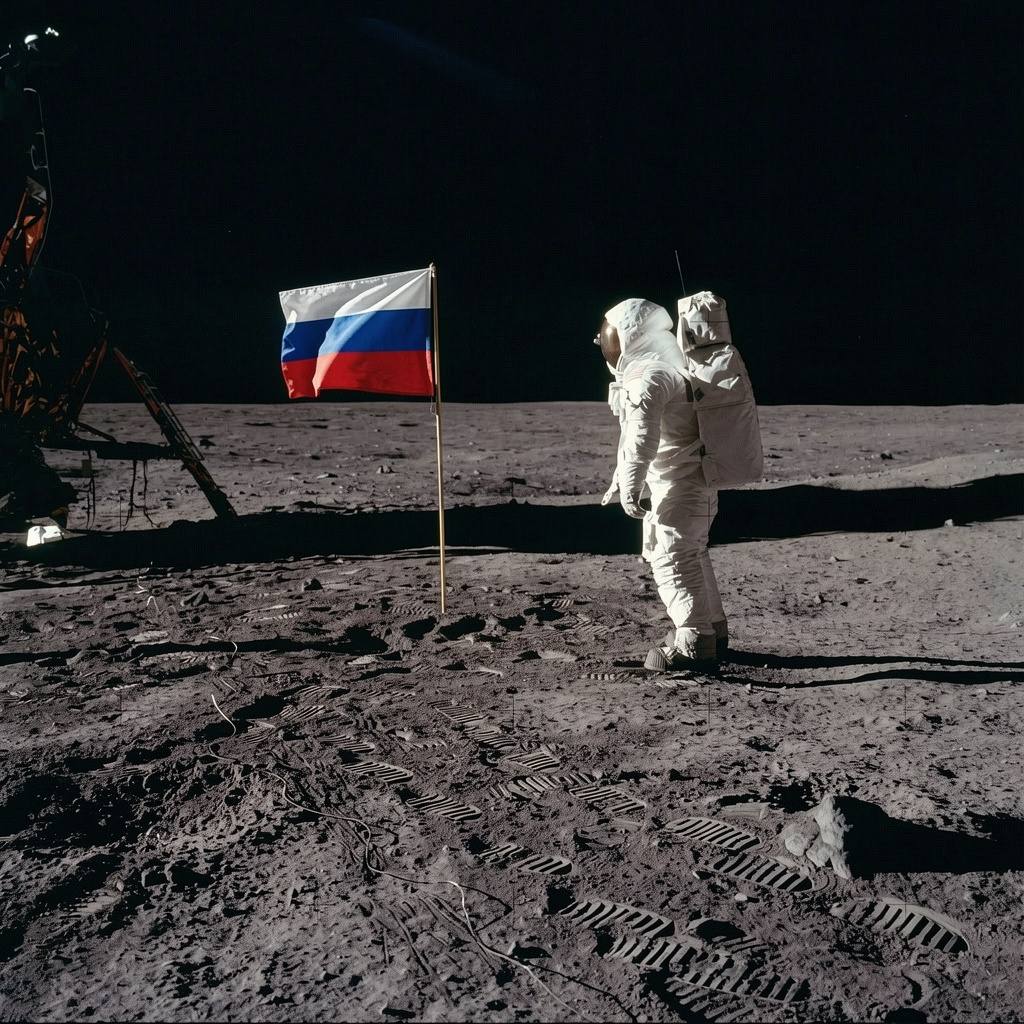
After editing
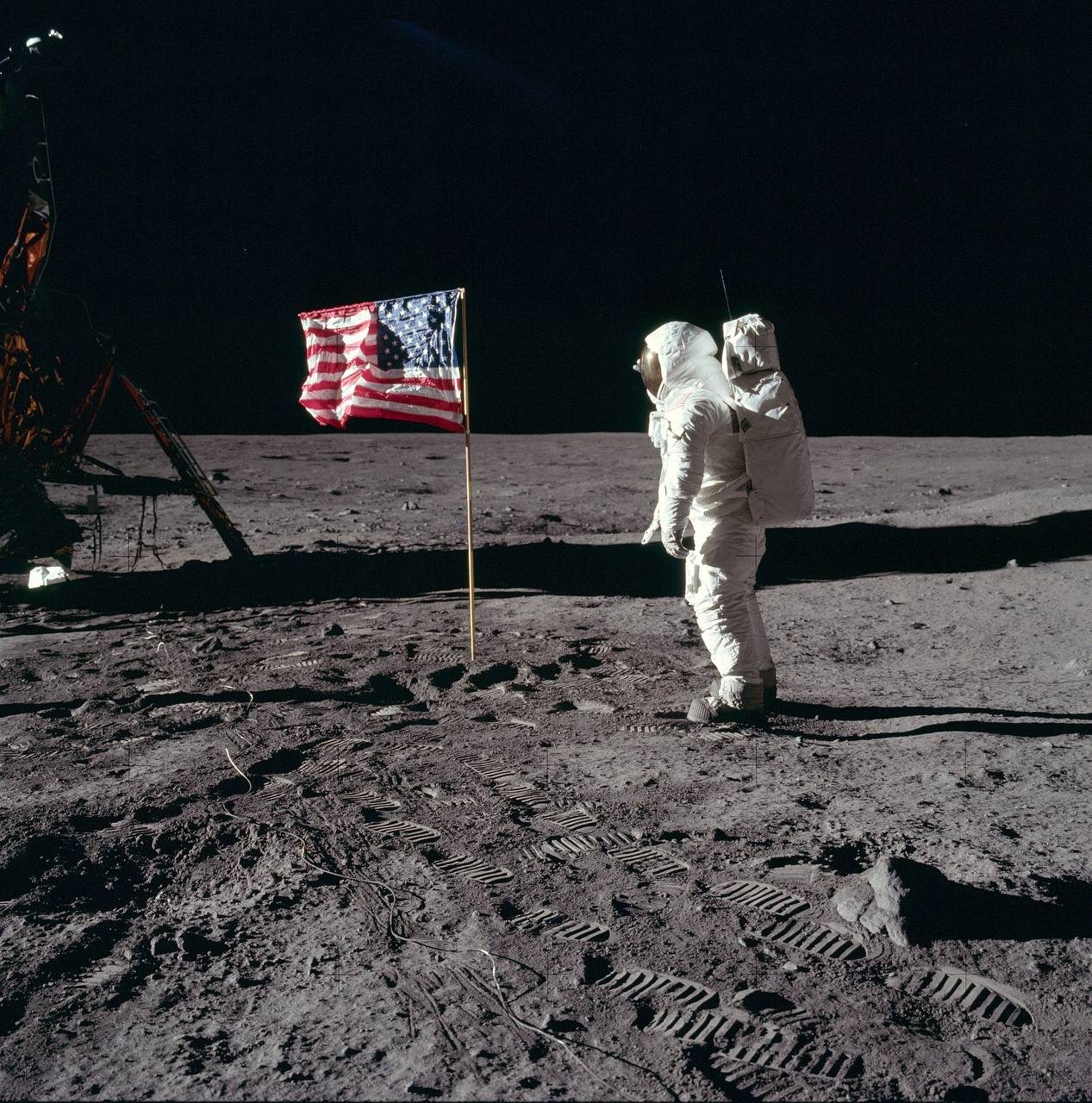
Before editing
Before
After
All plans

Photo editor

Edit photos with text prompts. Upload up to 5 photos or start from text alone — describe the changes you want, and keep refining the result through follow-up prompts in a chat-like flow.

Generate images from text — no photo required to start
Up to 5 photos in one chat — combine several sources
Attach photos right in the chat as you edit
Background removal and replacement
Object and watermark removal
Add new objects to the image
Improve realism
Prepare product photos for listings and catalogs
Make changes from natural-language prompts
Iterate on the result inside the chat

Best for

Product photos and marketplace cards
Removing watermarks and unwanted objects
Retouching and photo corrections
Social media creative
Fast experiments without design skills

How it works

1
Upload up to 5 photos or just describe your idea in text
2
Describe the edit or choose a quick action
3
Check and download the result
4
Continue refining with new prompts

Limitations

Up to 5 photos per chat
Not a replacement for advanced layered design tools
The result depends on how precise the prompt is
What is an AI photo editor?

An AI photo editor edits images from plain text commands. Instead of working in a layered graphics editor, you describe the change in words and the neural network applies it: remove the background, add an object, erase watermarks, or make the image more realistic — with AI and without design skills.

The editor works like a chat: upload up to 5 photos or start from a text idea, describe the change, and get a result. Every new prompt refines the latest image, so you can iterate step by step.

What can you do with it?
  • Marketplace product photos — clean white backgrounds, studio light, and centered products for listings.
  • Background removal and replacement for portraits, products, and social media posts.
  • Object and watermark removal without traces of manual retouching.
  • Image generation from text when there is no source photo at all.
How do I get a good result?

Be specific about what to change and where: "remove the plastic bottle on the table to the right of the plate" works better than "make it nicer". Mention position (left, right, in the background), color, and what must stay untouched.

Refine iteratively: each prompt edits the latest result, so ask for one change at a time and keep going until the image looks right.

Is my data safe?

Files are processed in the cloud. Review the privacy policy before uploading, and use only images you are entitled to process.

Gen-A
Sign up
Sign in

Photo editor

After editing
Before editing
Before
After
All plans

Photo editor

Edit photos with text prompts. Upload up to 5 photos or start from text alone — describe the changes you want, and keep refining the result through follow-up prompts in a chat-like flow.

Generate images from text — no photo required to start
Up to 5 photos in one chat — combine several sources
Attach photos right in the chat as you edit
Background removal and replacement
Object and watermark removal
Add new objects to the image
Improve realism
Prepare product photos for listings and catalogs
Make changes from natural-language prompts
Iterate on the result inside the chat

Best for

Product photos and marketplace cards
Removing watermarks and unwanted objects
Retouching and photo corrections
Social media creative
Fast experiments without design skills

How it works

1
Upload up to 5 photos or just describe your idea in text
2
Describe the edit or choose a quick action
3
Check and download the result
4
Continue refining with new prompts

Limitations

Up to 5 photos per chat
Not a replacement for advanced layered design tools
The result depends on how precise the prompt is
What is an AI photo editor?

An AI photo editor edits images from plain text commands. Instead of working in a layered graphics editor, you describe the change in words and the neural network applies it: remove the background, add an object, erase watermarks, or make the image more realistic — with AI and without design skills.

The editor works like a chat: upload up to 5 photos or start from a text idea, describe the change, and get a result. Every new prompt refines the latest image, so you can iterate step by step.

What can you do with it?
  • Marketplace product photos — clean white backgrounds, studio light, and centered products for listings.
  • Background removal and replacement for portraits, products, and social media posts.
  • Object and watermark removal without traces of manual retouching.
  • Image generation from text when there is no source photo at all.
How do I get a good result?

Be specific about what to change and where: "remove the plastic bottle on the table to the right of the plate" works better than "make it nicer". Mention position (left, right, in the background), color, and what must stay untouched.

Refine iteratively: each prompt edits the latest result, so ask for one change at a time and keep going until the image looks right.

Is my data safe?

Files are processed in the cloud. Review the privacy policy before uploading, and use only images you are entitled to process.

Gen-A
Sign up
Sign in

Photo editor

After editing
Before editing
Before
After
All plans

Photo editor

Edit photos with text prompts. Upload up to 5 photos or start from text alone — describe the changes you want, and keep refining the result through follow-up prompts in a chat-like flow.

Generate images from text — no photo required to start
Up to 5 photos in one chat — combine several sources
Attach photos right in the chat as you edit
Background removal and replacement
Object and watermark removal
Add new objects to the image
Improve realism
Prepare product photos for listings and catalogs
Make changes from natural-language prompts
Iterate on the result inside the chat

Best for

Product photos and marketplace cards
Removing watermarks and unwanted objects
Retouching and photo corrections
Social media creative
Fast experiments without design skills

How it works

1
Upload up to 5 photos or just describe your idea in text
2
Describe the edit or choose a quick action
3
Check and download the result
4
Continue refining with new prompts

Limitations

Up to 5 photos per chat
Not a replacement for advanced layered design tools
The result depends on how precise the prompt is
What is an AI photo editor?

An AI photo editor edits images from plain text commands. Instead of working in a layered graphics editor, you describe the change in words and the neural network applies it: remove the background, add an object, erase watermarks, or make the image more realistic — with AI and without design skills.

The editor works like a chat: upload up to 5 photos or start from a text idea, describe the change, and get a result. Every new prompt refines the latest image, so you can iterate step by step.

What can you do with it?
  • Marketplace product photos — clean white backgrounds, studio light, and centered products for listings.
  • Background removal and replacement for portraits, products, and social media posts.
  • Object and watermark removal without traces of manual retouching.
  • Image generation from text when there is no source photo at all.
How do I get a good result?

Be specific about what to change and where: "remove the plastic bottle on the table to the right of the plate" works better than "make it nicer". Mention position (left, right, in the background), color, and what must stay untouched.

Refine iteratively: each prompt edits the latest result, so ask for one change at a time and keep going until the image looks right.

Is my data safe?

Files are processed in the cloud. Review the privacy policy before uploading, and use only images you are entitled to process.